 LightView PDF
PDF essentials. Nothing extra.
Your documents.
Less distraction.
A clean PDF reader for the things you do every day. Read, search, fill in forms and print. Then get on with your day.
No ads. No AI features. No LightView account.
Windows 11 · x64 · English
Planned one-time purchase: SEK 29 in Sweden. Final price will be shown in Microsoft Store.
Made for everyday PDFs
Keep the useful parts.
Everything has a place. Nothing needs to get in your way.
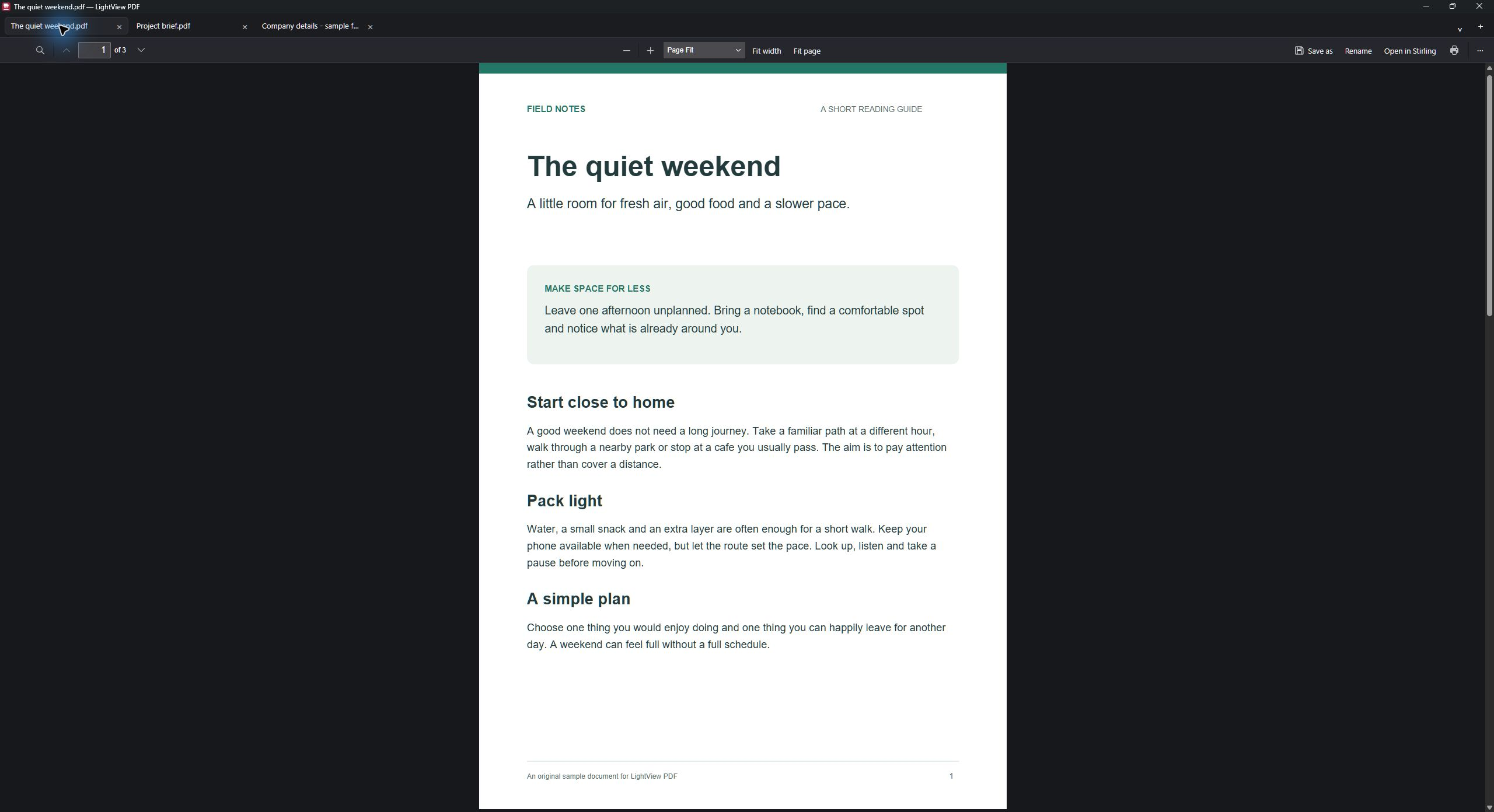
Read your way
Tabs, separate windows and saved reading positions. Pick up where you left off.
Find what matters
Search document text, copy a passage or open a web link in your browser.
Fill, save, print
Complete standard PDF forms, save a copy and print through Windows.
A closer look
Simple on purpose.
Actual screenshots of LightView PDF, using original sample documents. Select an image to view it full size.
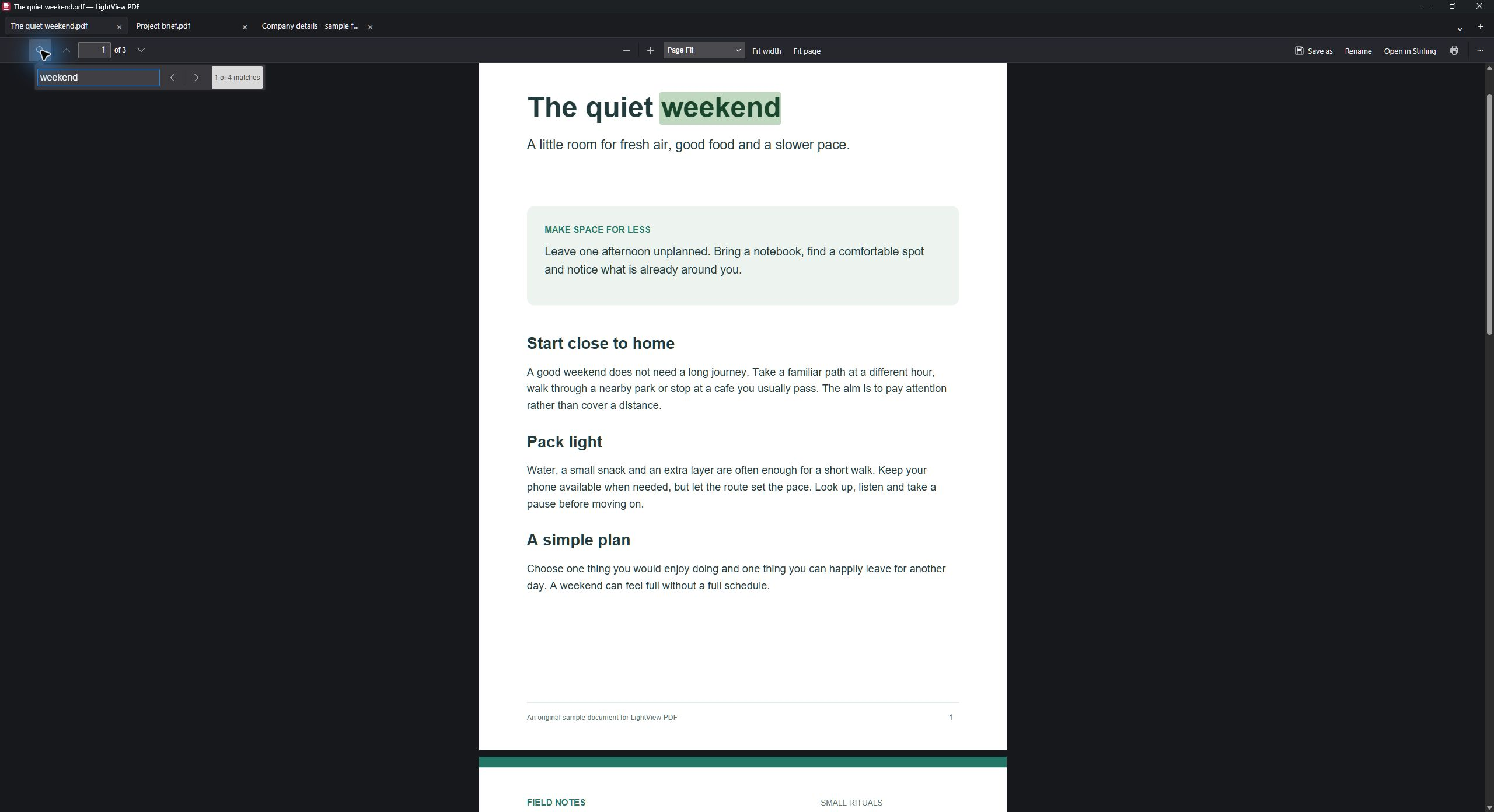
Find a word. Keep your place.
Search within a document and move between matching passages.
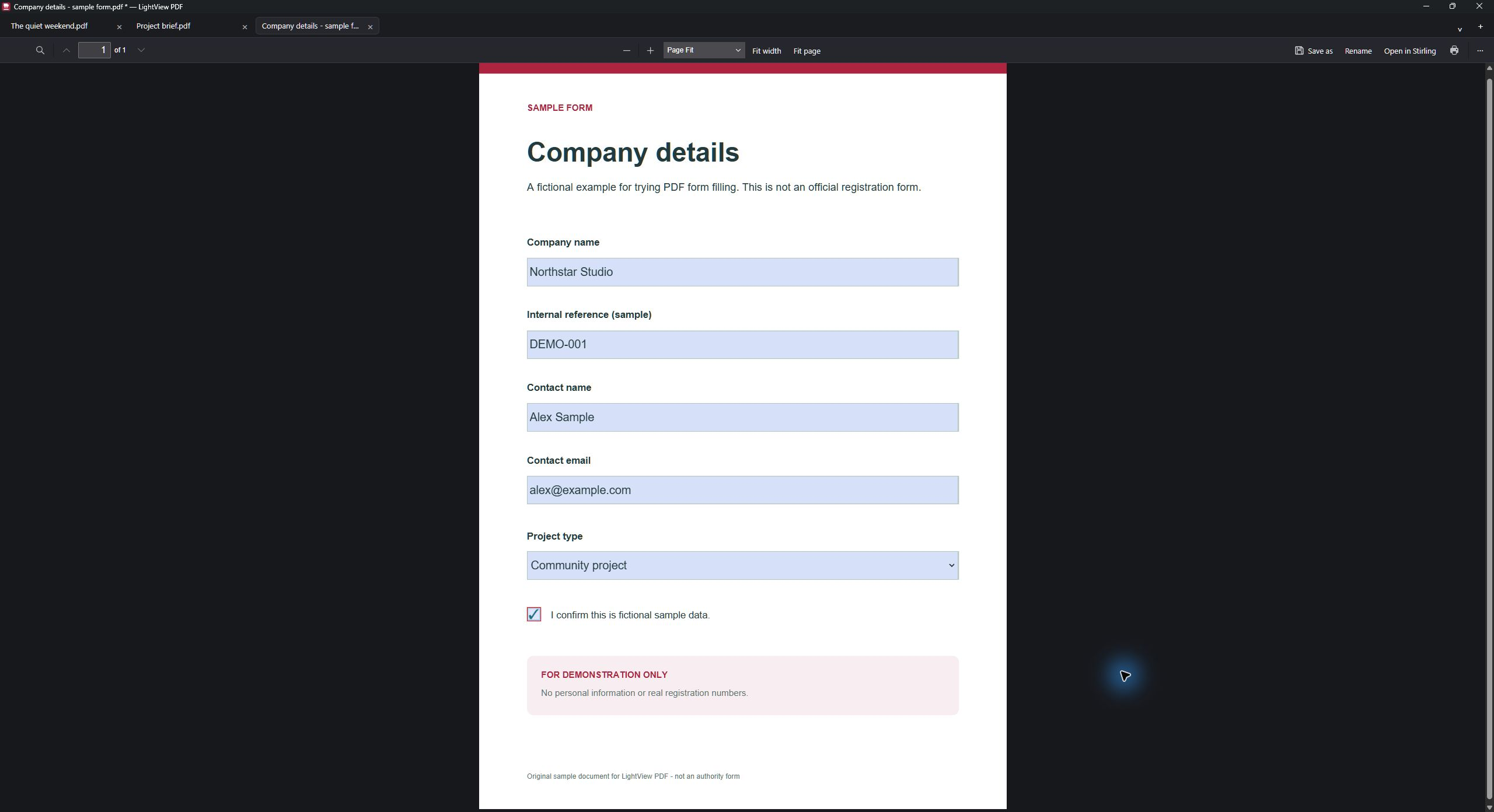
A form, filled in.
Enter details, select options and save a completed PDF copy.
Your PDFs. Your computer.
Local comes naturally.
Your documents are processed on your computer. LightView does not automatically upload your PDFs to our servers.
Reading positions and recent files are stored locally. No LightView account is required. Read the privacy policy.
Optional, when you need it
Need a bigger toolbox?
If you have Stirling PDF Desktop installed, open your document there from LightView for more advanced PDF work.
Keep everyday reading simple. Add other tools only when you want them.
Separate apps. Your choice.
LightView works without Stirling. Stirling PDF is installed and licensed separately; its own terms and settings apply.
LightView is developed by Nord & Co AB. It is not affiliated with or sponsored by Stirling PDF.
Growing thoughtfully
Version history
1.4.0 Preparing for Microsoft Store
English interface, Microsoft Store packaging, updates through the Store, and contact and privacy information. Includes clickable PDF web links from 1.3.1.
1.3 More tabs, clearer choices
Scrollable tabs, a list of open documents and clearer information about the optional Stirling integration.
1.2 Forms and saving
PDF forms, Save as and an About dialog. Version 1.2.1 added a save button to the toolbar.
1.1 Room for more windows
Move tabs into separate windows, restore window placement and navigate with page buttons.
1.0 The first release
PDF reading with tabs, search, text copying, saved reading positions, printing and opening files in Stirling.
A little help
Support, without the maze.
Tell us your Windows version, LightView version and what you were trying to do. Please do not send sensitive PDFs or passwords.
Before you install
LightView is for Windows 11 on x64 computers, with an English interface. It uses Microsoft Edge WebView2 Runtime, normally included with Windows 11.
Common PDF forms are supported. PDF JavaScript and XFA forms are not. Native file and printer dialogs may follow your Windows language.
Store purchases, payments and refunds follow the applicable Microsoft Store terms. Your statutory rights are not affected. Terms of use.